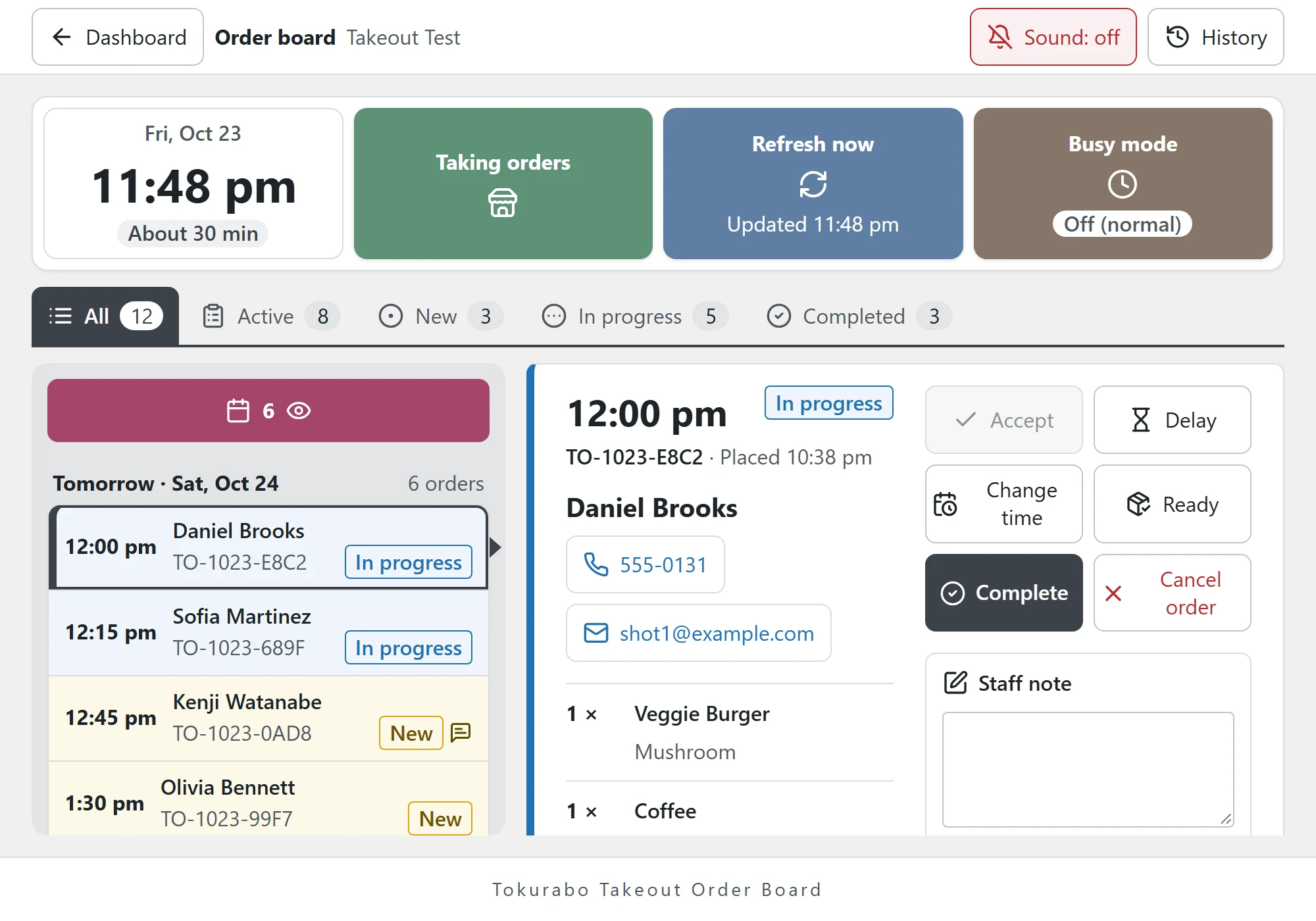
See Every Order at a Glance. Move It Along with One Tap.
Orders from your website arrive on your shop's tablet or phone with a sound. Tap a button such as Accept or Ready, and the customer gets an email. Take seasonal pre-orders too, and see how many to make for each pickup day.
About
What Is Takeout Order Board?
Tokurabo Takeout Order Board is a paid WordPress plugin that adds features to Tokurabo Takeout Orders. Takeout Orders takes pickup orders on your website and lets you know by email. Order Board turns those orders into an order board for your counter or kitchen, and adds status emails to customers, busy mode, seasonal pre-orders and an order history.
With Order Board, orders are still not sent to Square or any other register. As with Takeout Orders, customers pay at pickup. When the customer comes, ring up the items in your register and take payment there.
What you need
- Tokurabo Takeout Menu and Tokurabo Takeout Orders, set up and taking orders
- A tablet, phone or PC with a browser to open the order board
Features
An Order Board for Busy Shops
Your Orders on One Board
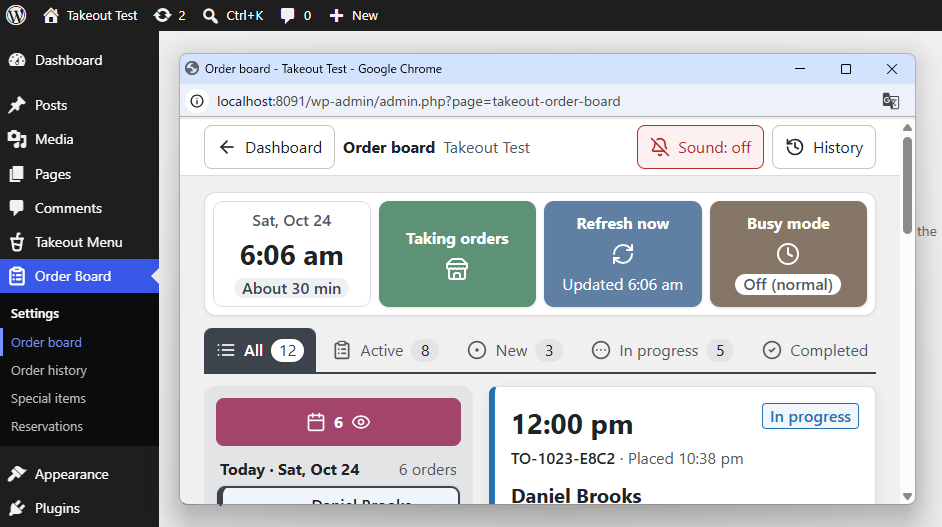
The order board opens on its own screen, without the WordPress menus.
New orders come in on their own, with a chime.
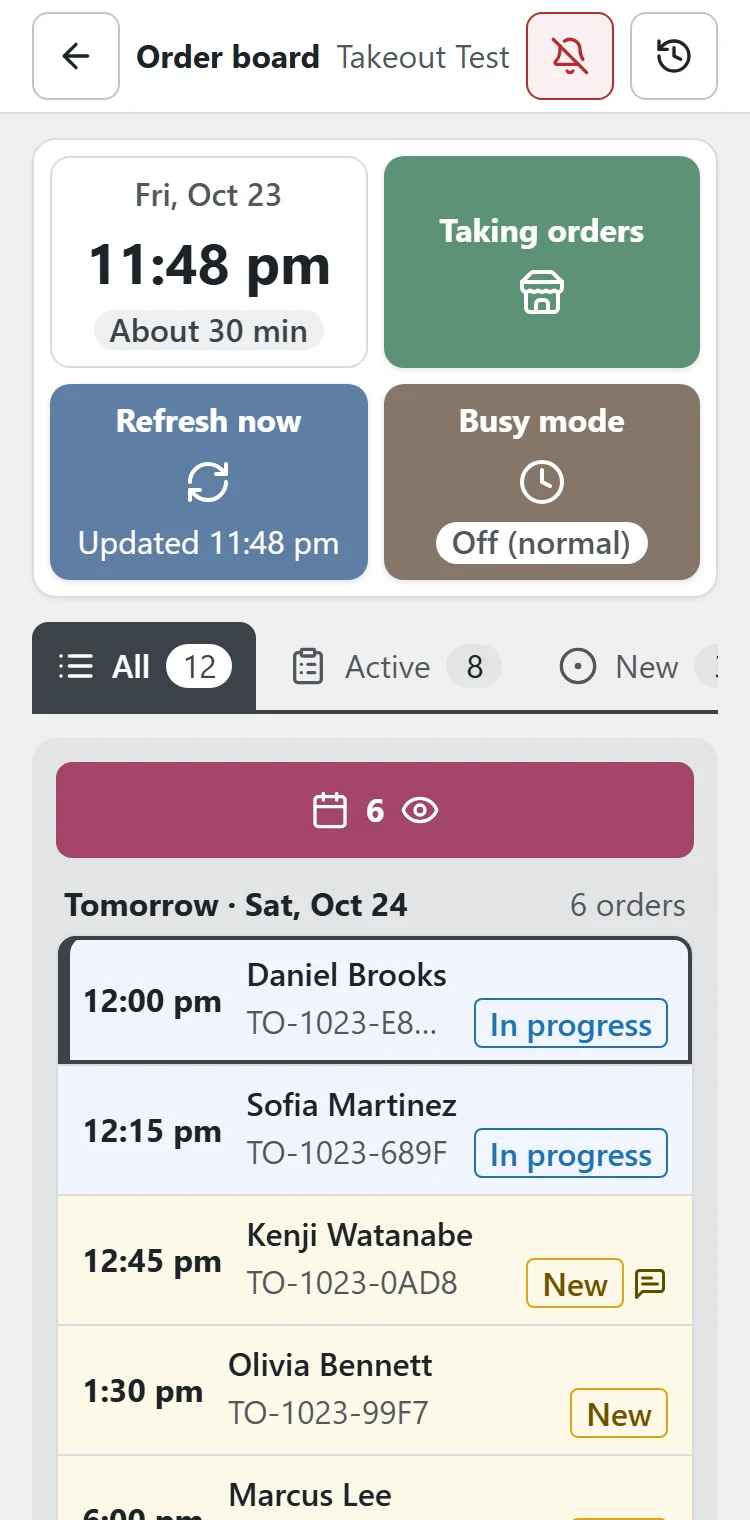
You can also split a tablet screen in half and show it next to another app.
One Tap, One Email
Tap Accept, Delay, Change time, Ready or Cancel order, and the customer gets an email.
Emails with Your Logo
Emails to customers become easy-to-read emails with your logo. You can change the subject and text, and preview them before you save.
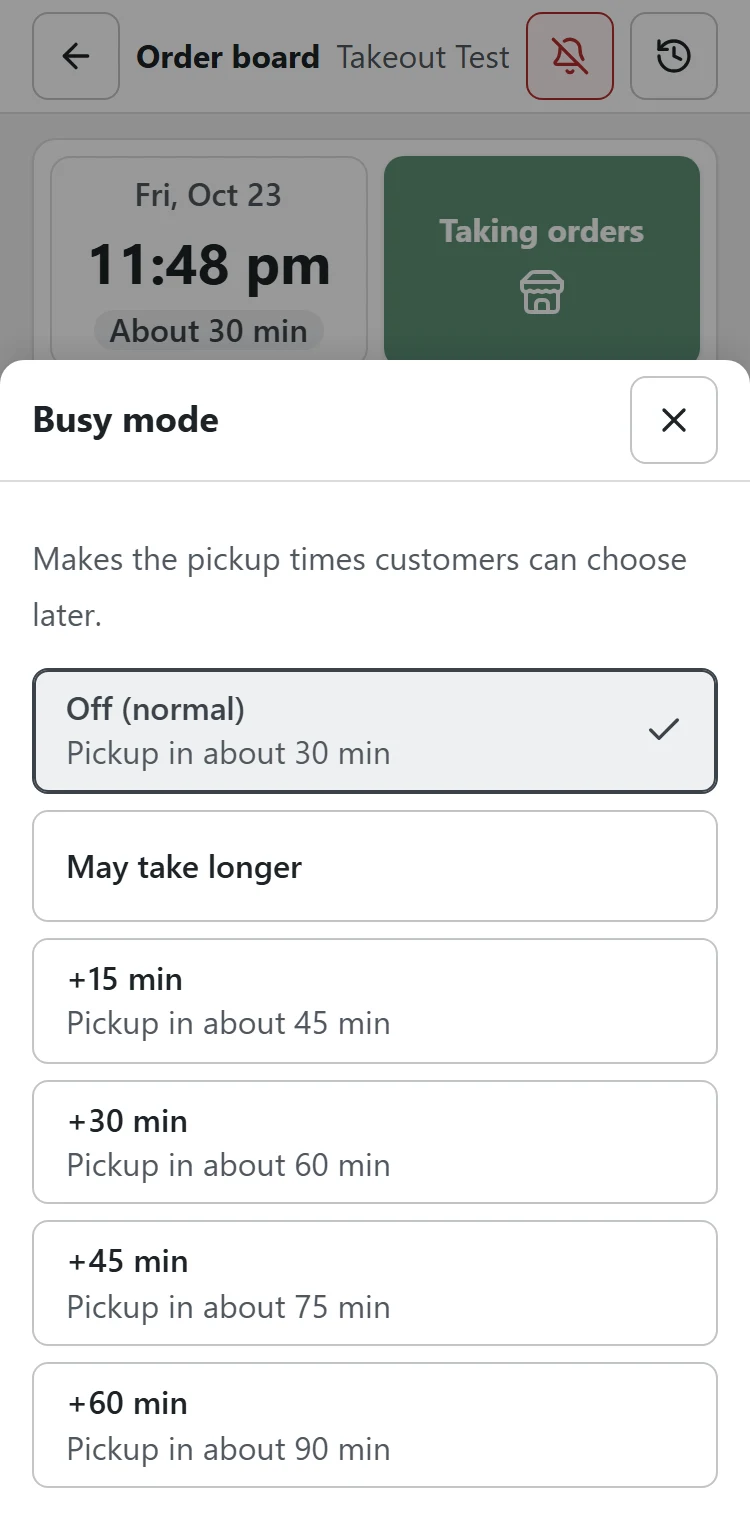
Busy Mode and Last Order
When orders pile up, you can push back the pickup times customers can choose for a while, or stop taking orders, right from the order board. You can also set a last order time.
Accounts for Staff
The plugin adds an "Order board staff" role. Give this role to your staff's accounts, and they can see the Order board, Order history and Reservations with their own accounts. No need to share an admin account.
Notes from Customers and Staff
Customers can add a short note to their order. On the order board, staff can also leave notes on each order to share with each other.
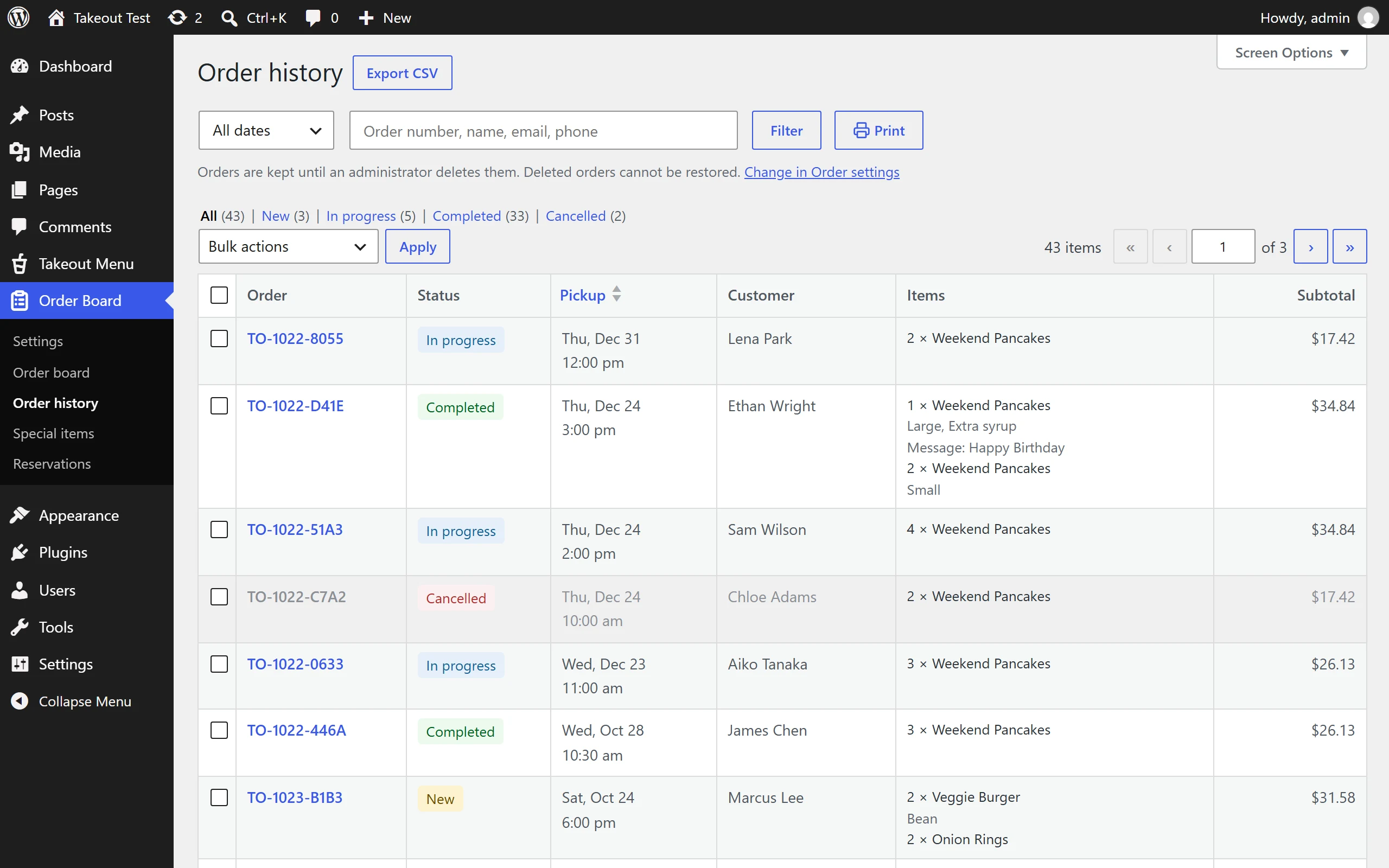
Order History
Order history in Order Board builds on the order list in Takeout Orders. Find past orders quickly, and print them or download them as CSV.
For each order, you can see which staff member did what, and when.
Pre-orders
Seasonal Pre-orders, Handled for You
Holiday cakes, Thanksgiving pies, party platters, Mother's Day flowers: take pre-orders for special items, with detailed settings for each item. Leave the tedious counting to the order board, from total orders to stock.
Rules for Each Item
Set the pickup dates, the deadline, a quantity limit and more for each item.
Sold Out and Closed on Their Own
When the limit is reached, the item shows as sold out. If you count stock in Square, that count is used too. After the deadline, orders close without anyone pressing a button.
Place Pre-order Cards Anywhere
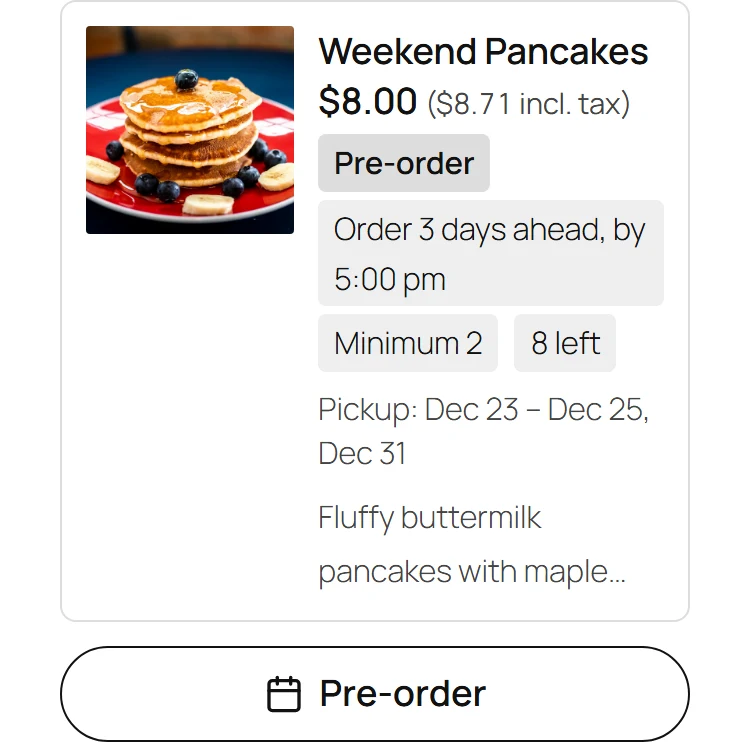
Add the "Takeout Special Item" block in the WordPress editor to place a pre-order item anywhere you like. The card shows "Pre-order", the order deadline, the minimum quantity and how many are left, and takes orders.
A Prep List for Each Pickup Day
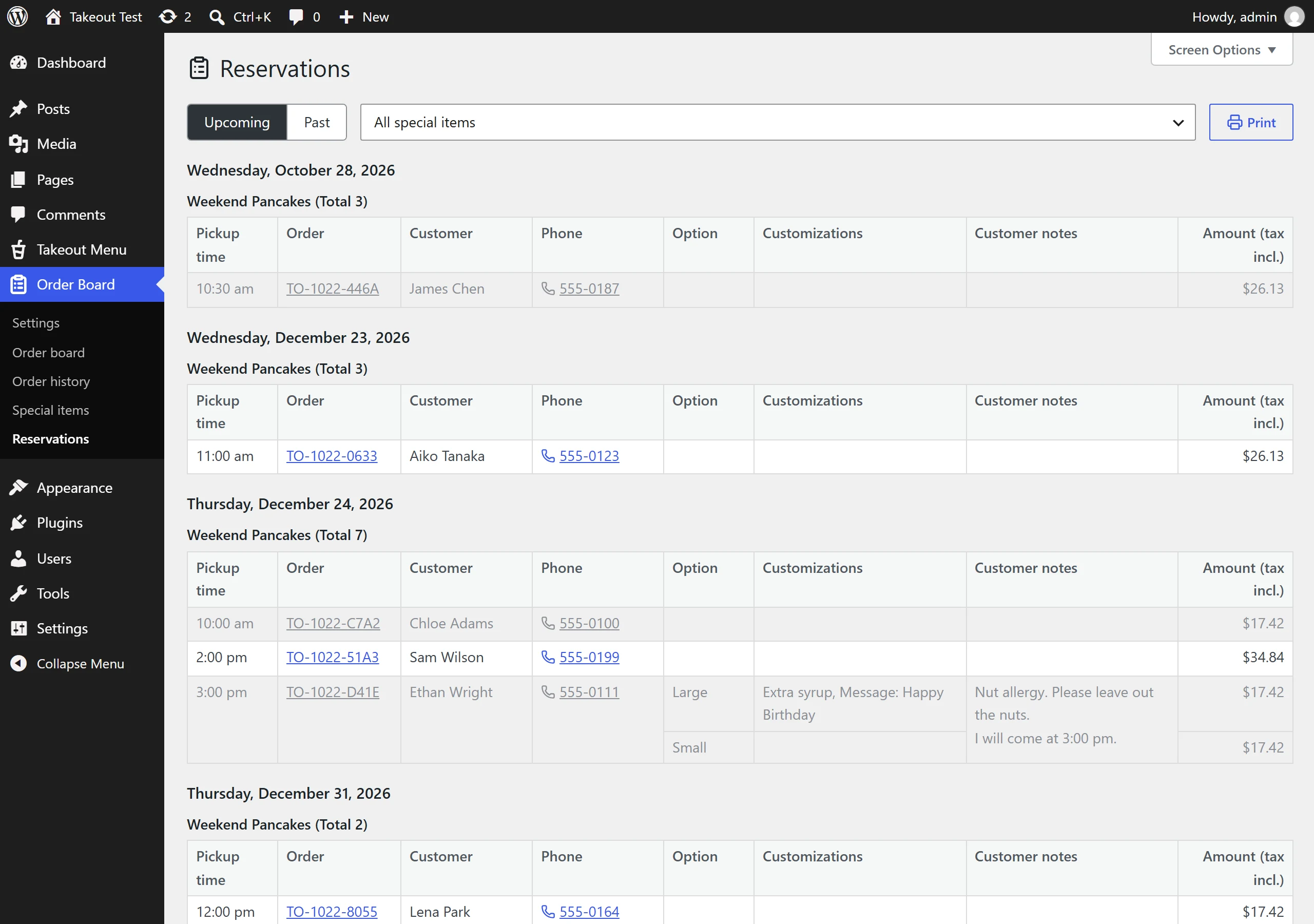
Reservations shows, for each pickup day, how many of each item to make and who ordered what, at a glance. Print it and put it up in the kitchen, or download it as CSV.
Setup
Quick Setup in 3 Simple Steps
-
1Install Takeout Menu and Takeout Orders
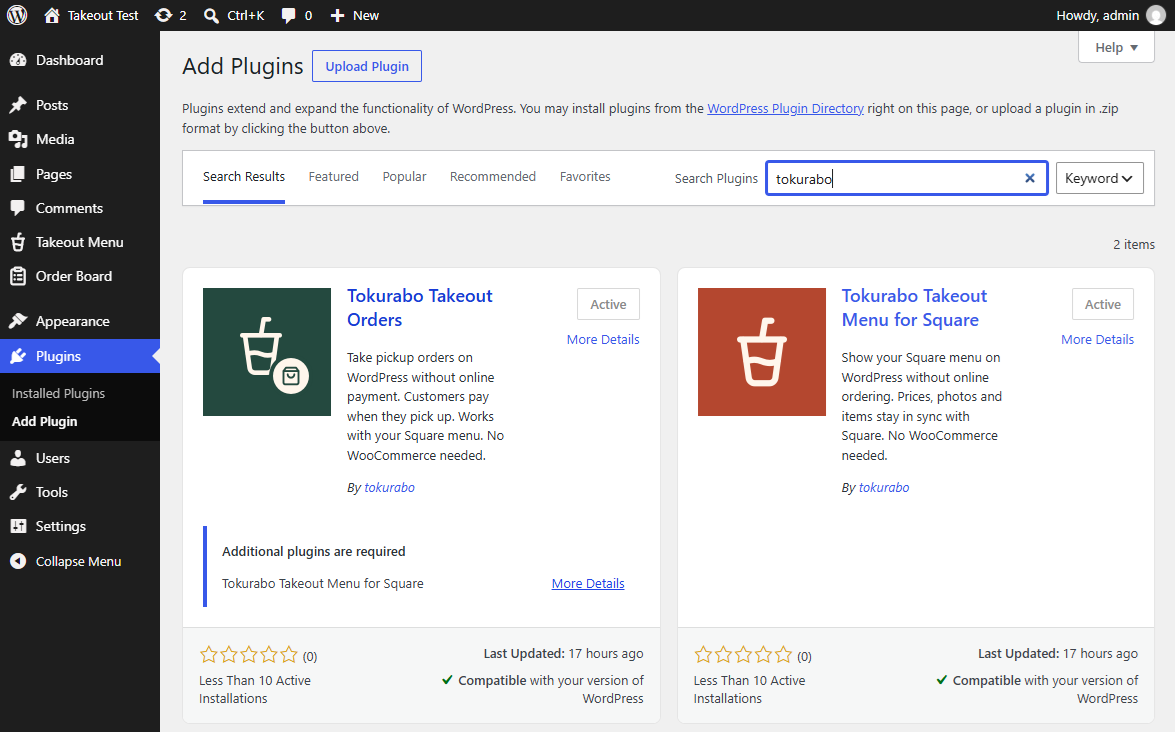
Order Board shows the orders that come in through Takeout Orders. First, install Tokurabo Takeout Menu and Tokurabo Takeout Orders so you can take orders. Both are free on WordPress.org. See the Takeout Menu guide and the Takeout Orders guide.
-
2Install Order Board
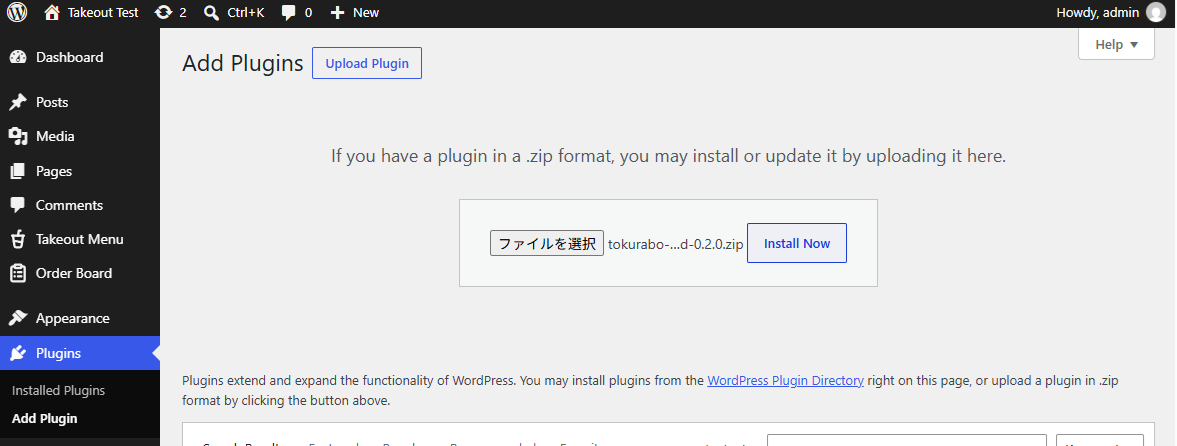
Order Board isn't on WordPress.org, so you install it from a ZIP file. In your WordPress dashboard, go to Plugins > Add Plugin and click Upload Plugin. Choose the ZIP file, install it, and activate it.
-
3Open the Order Board
Go to Order Board > Order board and tap the bell to turn on the sound. Then leave it open on your tablet.
Step-by-step instructions are in the guide.
FAQ
Frequently Asked Questions
Q: Which device can I use?
A: Any tablet, smartphone or PC with a browser. Just leave the order board open. You can also split a tablet screen in half and use it next to another app.
Q: Do orders go into my Square register?
A: No. As with Takeout Orders, orders are not sent to your register. When the customer picks up, ring up the items in your register and take payment.
Q: Why is there no sound?
A: Browsers do not play sounds until you tap the page. Tap the bell at the top each time you open the order board.
Q: Can staff change the settings?
A: No. Settings cannot be changed from a staff account.
Q: Does the stock in my POS app (such as Square) go down automatically?
A: No. Even if you set stock counts in your POS app, the order board only reads them. If you count stock in your POS app, ring up the order in your register at pickup, and the stock in your POS app goes down. If you do not ring it up, the actual count and the count shown will not match.
Get it
Get Takeout Order Board
Tokurabo Takeout Order Board is a paid plugin. It is not on WordPress.org.
$29 per month or $299 per year. See the License page for how to buy.
Buy a license