
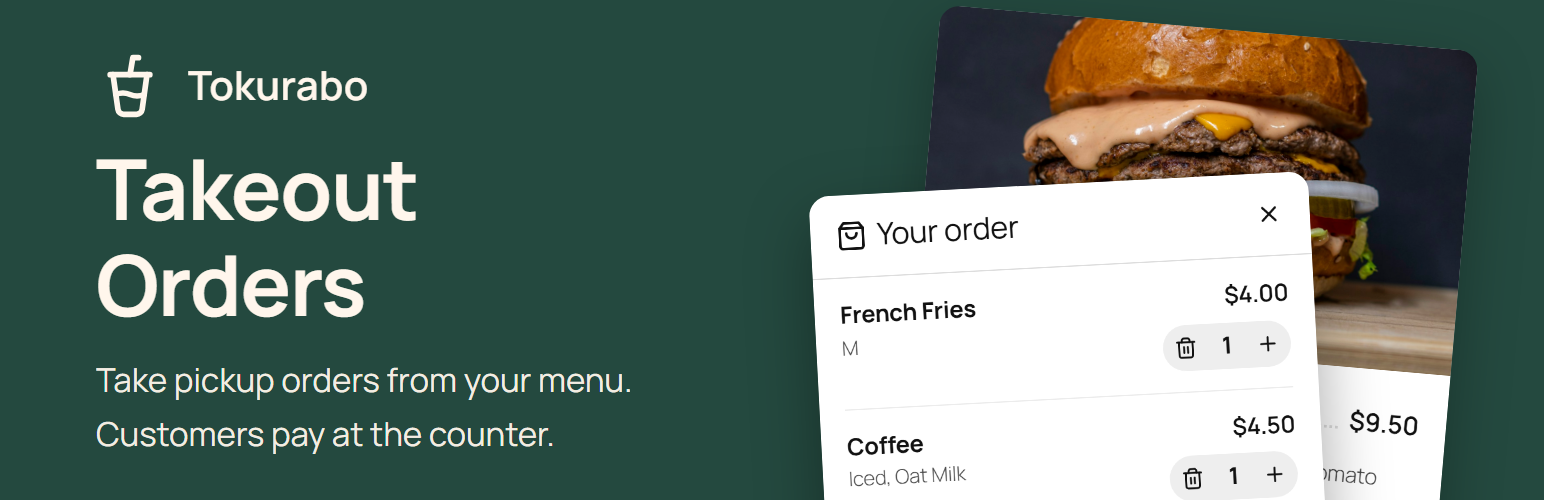
Your Menu Now Takes Orders.
Add a cart and an order form to the menu shown by Takeout Menu. Customers choose items and a pickup time, and you get an email. They pay when they pick up.
About
What Is Takeout Orders?
Tokurabo Takeout Orders is a free WordPress plugin. It adds a cart and an order form to the menu shown by Tokurabo Takeout Menu. Customers choose items, pick a pickup time and send the order. You get an email, and the order is saved in your WordPress admin.
No online payment, no customer accounts, no checkout page to set up. Install it, and your menu takes orders.
Orders from your website are not sent to Square or any other register. When the customer comes to pick up, ring up the items in your register and take payment there.
What you need
- Tokurabo Takeout Menu, set up and showing your menu on a page
- A WordPress website that you can log in to as an administrator
Features
Built for Pickup Orders
Order Right from Your Menu
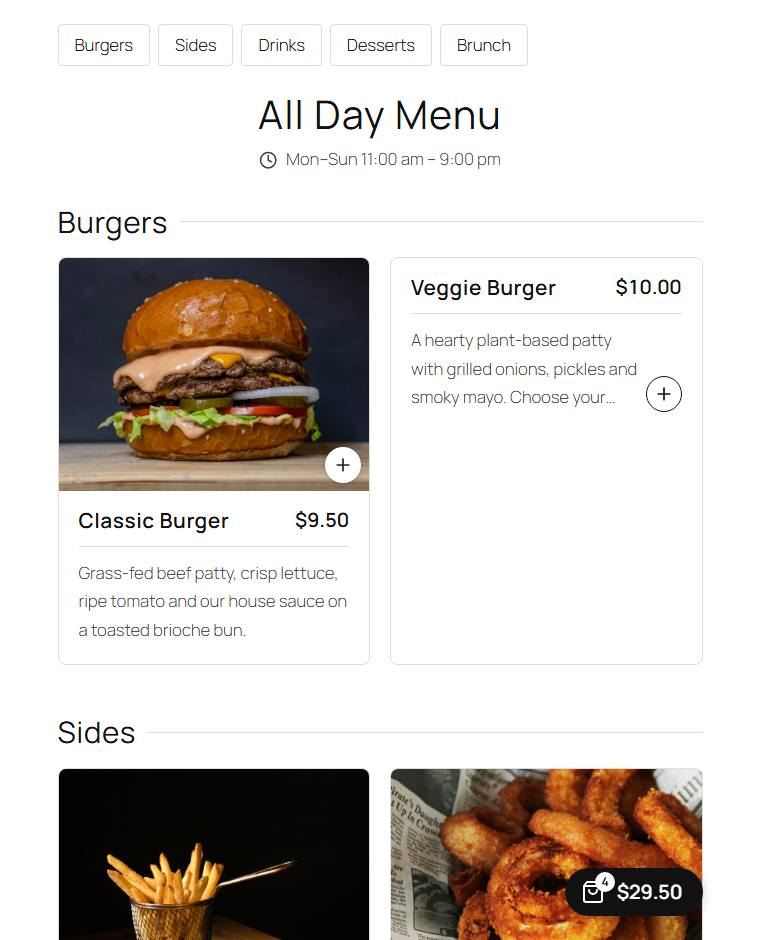
A "+" appears on each item. Customers choose a size and options, then add to the cart. A small cart button stays in the corner on every page of your site, so they can keep browsing.
Pay at the Counter
No payment service to set up, and no refunds to handle online. Customers pay when they pick up, the same way as in your store.
No Sign-up for Customers
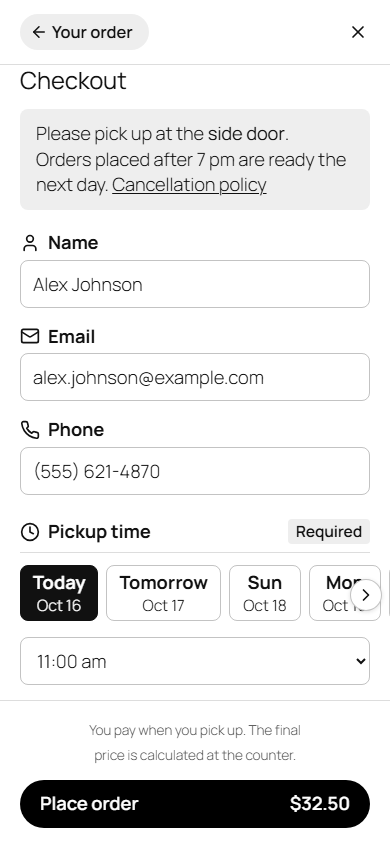
Name, email and phone, and a pickup time. That is all. Their details are remembered in their own browser for next time.
Pickup Times from Your Hours
Pickup times follow the hours set in your POS app. Set the preparation time, time slots, how many days ahead, and holidays or special hours.
An Email for Every Order
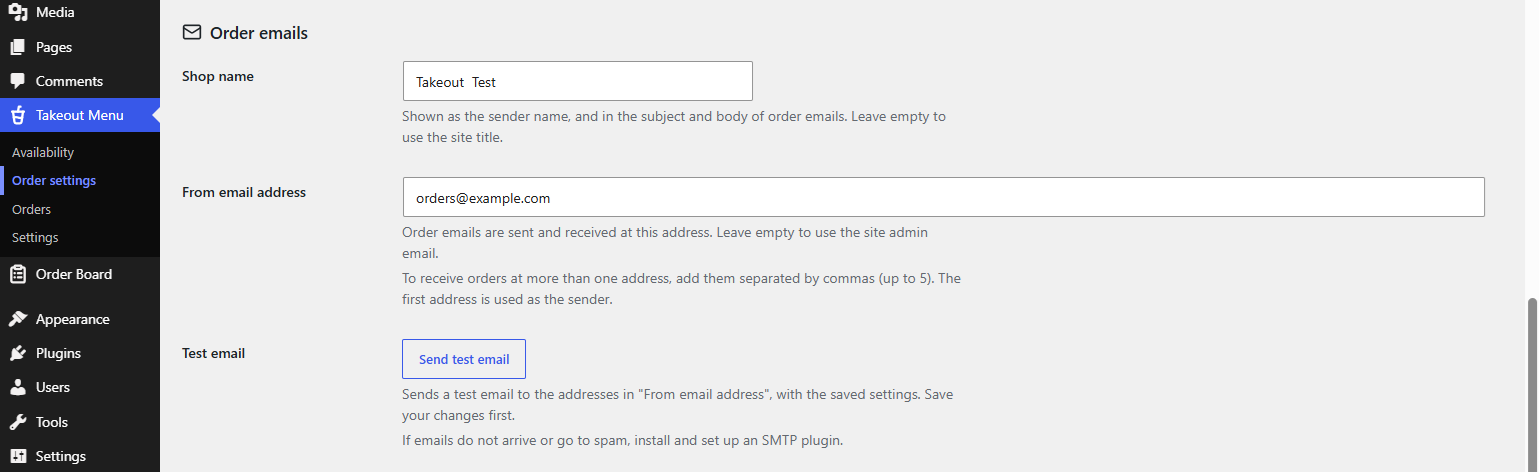
You get an email for each new order, sent to up to 5 addresses. Reply to it to contact the customer. The customer gets a confirmation with the order number.
Or Arrange the Pickup Time Yourself
For items in a menu with no hours set in your POS app (and no business hours), customers order without choosing a pickup time. After the order, you contact the customer to arrange the date and time. Good for a cake menu, catering, and other orders where you agree on the time together.
All Orders in Your Admin
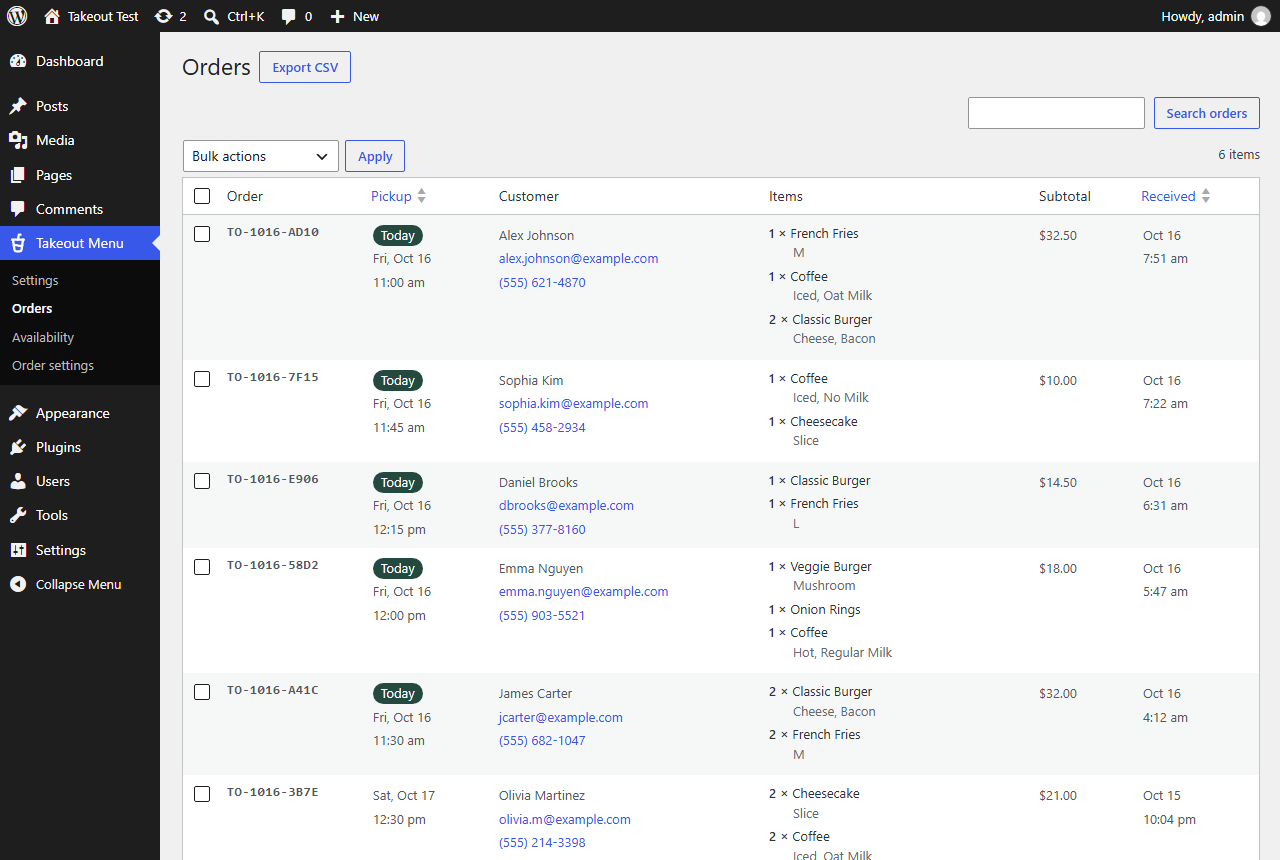
See every order in your WordPress admin. Search by order number, name, email or phone, sort by pickup time, and export to CSV.
Too Busy? Stop with One Button
Stop taking orders with one button. Your menu stays on your site. Ran out of something? Uncheck the item in Takeout Menu > Availability and it shows as "Sold out".

Not Only for Restaurants
Bakeries, cake shops, florists, delis, coffee stands and retail stores can take pickup orders (click and collect) the same way.
For customers
Four Simple Screens
-
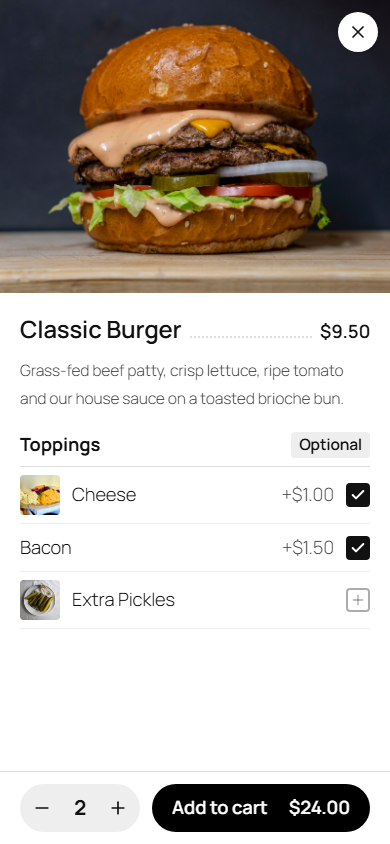 1. Choose
-
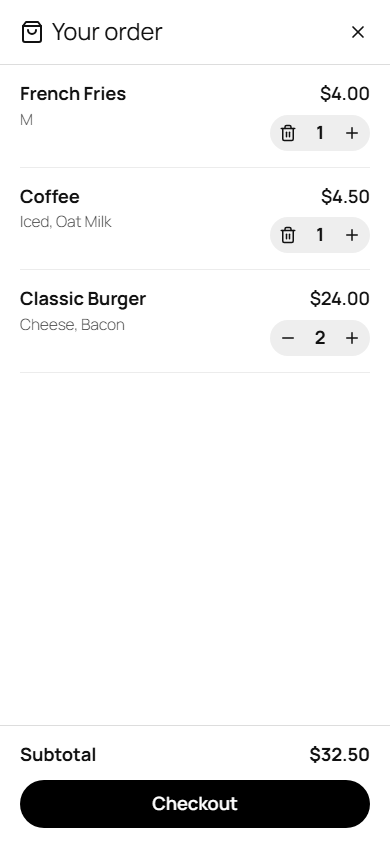 2. Cart
-
3. Checkout
-
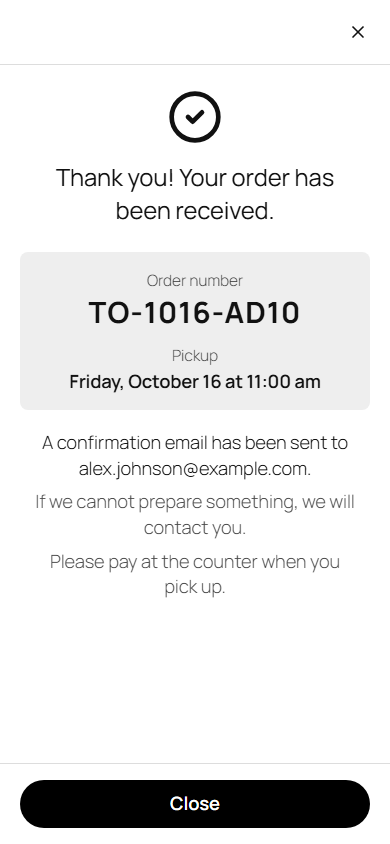 4. Done
Setup
Quick Setup in 3 Simple Steps
-
1Install Takeout Menu
Install Tokurabo Takeout Menu and show your menu on a page. See the Takeout Menu guide.
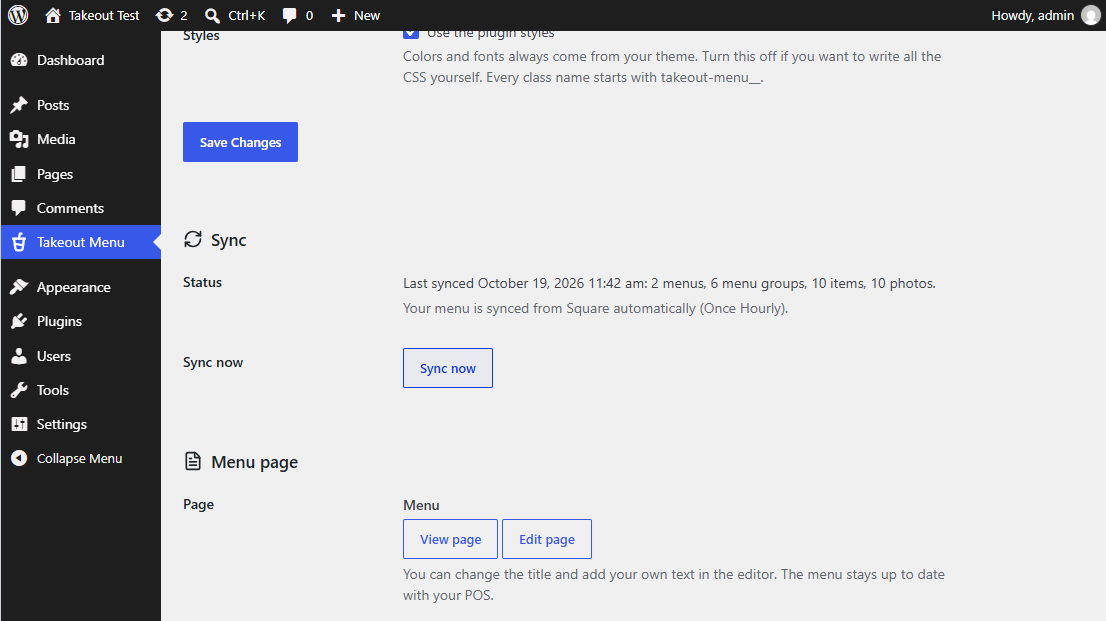
-
2Install Takeout Orders
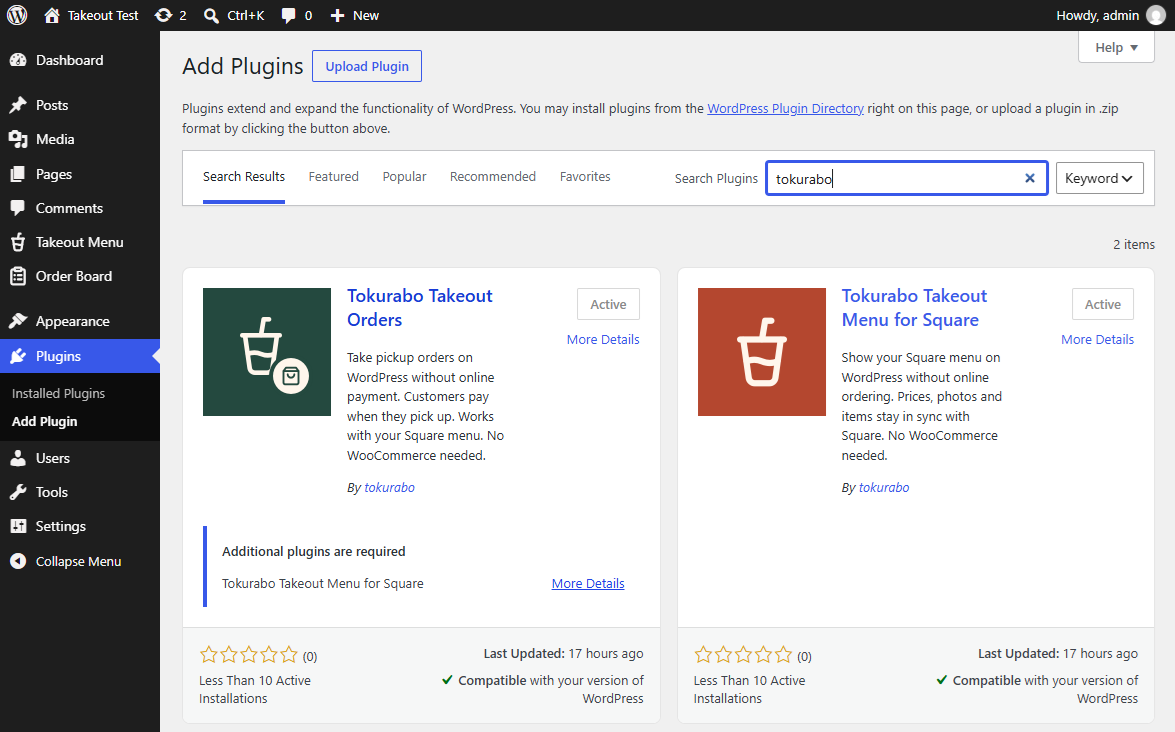
In your WordPress dashboard, go to Plugins > Add Plugin and search for Tokurabo Takeout Orders. Click Install Now, then Activate.
-
3Check Order Settings
Go to Takeout Menu > Order settings. Check the pickup times and the email address for new orders, and save. Your menu page now takes orders.
Step-by-step instructions are in the guide.
FAQ
Frequently Asked Questions
Q: Do I need WooCommerce?
A: No. All Takeout Orders needs is Tokurabo Takeout Menu.
Q: Can customers pay online?
A: No. Customers pay at the counter when they pick up.
Q: Do orders go into my Square register?
A: No. Orders from your website are not sent to Square or any other register. When the customer picks up, ring up the items in your register and take payment.
Q: Where do I see new orders?
A: In the email for each order, and in Takeout Menu > Orders in your WordPress admin.
Q: Which pickup times can customers choose?
A: Times within the hours set in your POS app, starting from now plus the preparation time. You can set the time slots, how many days ahead, and holidays or special hours. For items in a menu with no hours (and no business hours), customers order without choosing a time, and you contact them to arrange it.
Q: Is there spam protection?
A: Yes. The number of orders from the same connection and to the same email address is limited, and a hidden field catches simple bots. The same order is not saved twice, even if the customer clicks twice.
Q: Does it match my theme?
A: Yes. The cart and the order form use your theme's fonts and colors. You can change more with your own CSS. To write all the CSS yourself, turn off Use the plugin styles in Order settings.
Q: Is there any cost?
A: Tokurabo Takeout Orders is free, like Tokurabo Takeout Menu.
Download
Get Takeout Orders for Free
Tokurabo Takeout Orders is free on WordPress.org.
Download from WordPress.orgYou can also install it from Plugins > Add Plugin in your WordPress dashboard.
Add-on
When Orders Pick Up
A paid plugin that works on top of Takeout Orders.
Takeout Order Board Paid
Turns the orders from Takeout Orders into an order board on your shop's tablet. Move each order along with one tap, and the customer gets an email. Busy mode, seasonal pre-orders and an order history are included too.
See Takeout Order Board