License
How to buy and use your license
Tokurabo Takeout Order Board is a paid plugin. Payments and licenses are handled by Freemius (see About Freemius at the end of this page).
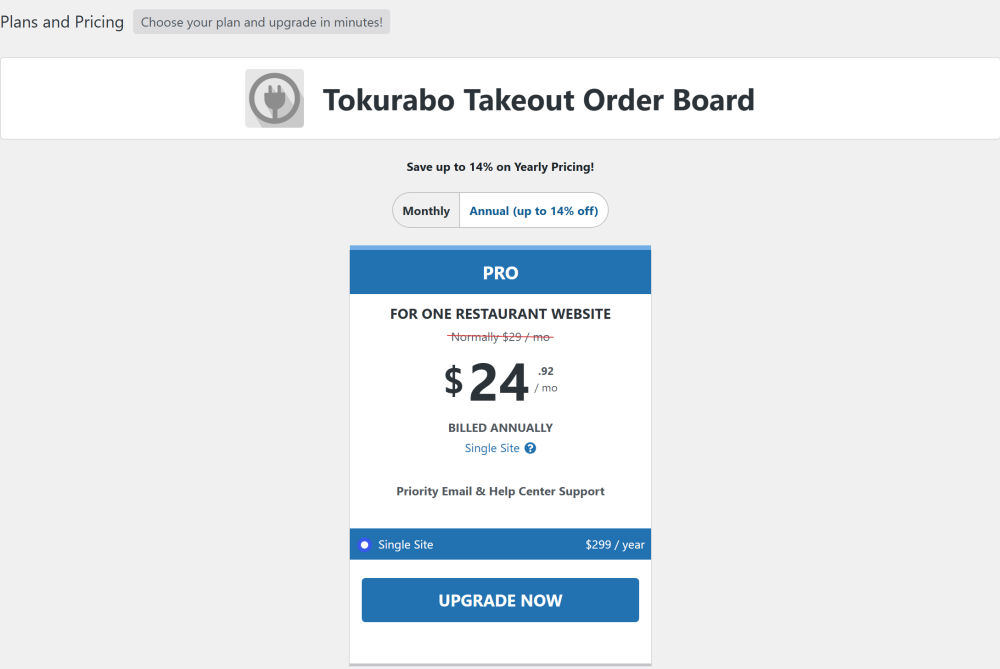
There is one plan, Pro, for one site (Single Site). You can pay monthly or annually.
| Billing | List price (USD) |
|---|---|
| Monthly | $29 / month |
| Annual | $299 / year |
The checkout opens with annual payment selected. To pay monthly, turn off the "Annual discount" switch on the right of the screen.
What you need
- The Tokurabo Takeout Order Board plugin, installed (see First setup in the guide)
- A credit or debit card, or a PayPal account
- A valid email address
Step by step
1. Purchase a license
You can purchase a license from inside your WordPress admin.
-
1Click Buy a license
After you install and activate the plugin, open Order Board > Order board in the left menu. You will see Enter your license key. Click Buy a license.

-
2Choose monthly or annual
The Plans and Pricing screen opens. Choose Monthly or Annual, then click UPGRADE NOW. There is one plan, Pro, for one site (Single Site).
-
3Fill in the checkout
The Freemius checkout opens. At the top you will see Secure HTTPS checkout PCI compliant page, running from an external domain - Freemius Inc. See What to enter at checkout below.
-
4Review and pay
Click Review Order. Check the details on the next screen, then click Pay & Subscribe.
When the payment is done, you are taken back to Order Board > Account in WordPress, and the license is active.
Checkout
2. What to enter at checkout
| Field | What to enter |
|---|---|
| Email address | The address where you want to receive your receipt. It is also used for your Freemius customer account. |
| Confirm email address | Enter the same email address again. |
| First name / Last name | Your name. |
| Phone number (optional) | |
| Billing information | Choose Card or PayPal. |
| Credit or debit card number | Your credit card number. |
| Expiry | Month and year with a slash, such as 12/34. |
| Security code | The security code of your credit card. |
| Country / Postal code | The country and postal code of your credit card's billing address. |

The review screen
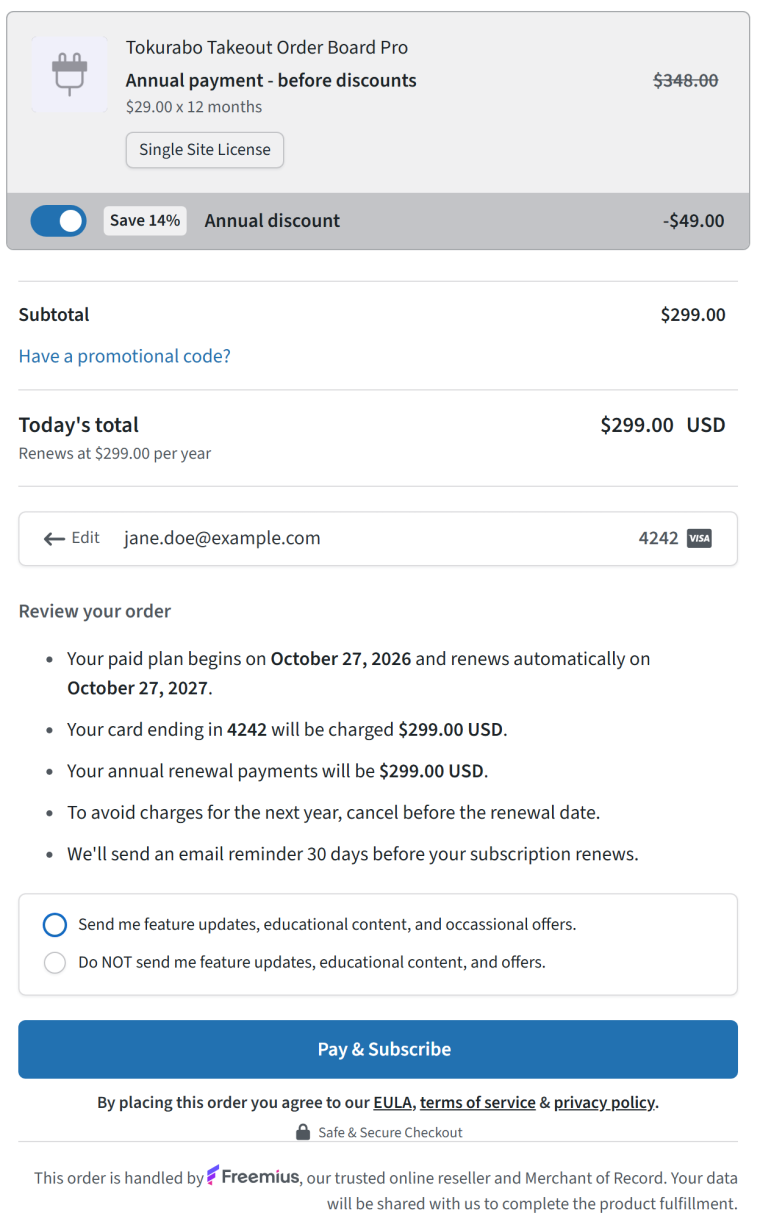
After you click Review Order, you can check the following.
- The date your paid plan starts, and the date it renews automatically (one year later for the annual plan)
- The amount charged today, and the amount charged at each renewal
- To avoid being charged for the next year, cancel before the renewal date
- Freemius sends you an email reminder 30 days before the subscription renews
Below that, you can choose whether to receive update emails about new features.
3. The emails you get
After you pay, Freemius sends you emails like these. They come from pay@freemius.com.
- Your payment receipt for Tokurabo Takeout Order Board: the amount paid, the payment method, and a PDF invoice.
- Verify your email address: you may get an email asking you to confirm your email address. Click the button to finish.
Emails from Freemius sometimes land in your spam folder. If you cannot find them, check your spam folder and, in Gmail, the Promotions tab.
The license turns on automatically, so the receipt email does not include the license key. You can see the license key in Order Board > Account in WordPress (see the next section).
License key
4. Enter your license key
A license key is a long string that starts with sk_. The License ID number you may see in an email is not the key.
If you bought from inside WordPress
The license is already active, so you do not need to enter anything. Open Order Board > Account. Plan shows PRO, and the License Key row shows your key. Click Show to see the whole key.
If you need to enter a key
For example, when you use the license on another site, or when a web designer installed the plugin and the shop owner buys the license later.
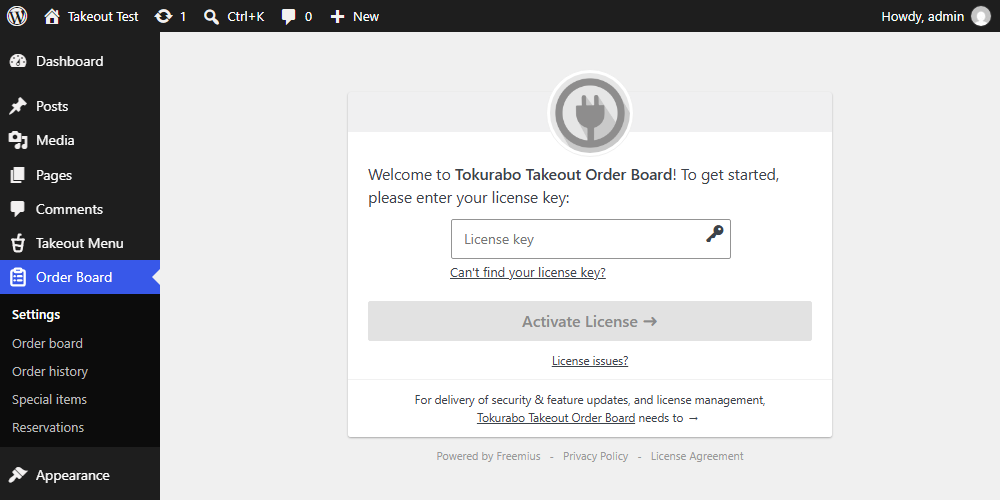
- Open Order Board > Settings in the left menu. The license key screen appears.
- Paste your key into the License key field.
- Click Activate License.
When it works, you will see "Yee-haw! Your plan was successfully activated."

If you cannot find your key, click Can't find your license key?, enter the email address you used to buy, and click Send License Key. The key is sent to you again.
Manage
5. Renewal, payment method, and moving to another site
At the top right of Order Board > Account in WordPress you will find these links.
| Link | What it does |
|---|---|
| Billing & Invoices | Check your invoices and payment information. |
| Deactivate License | Stops using the license on this site, so you can use the same license on another site. |
| Sync | Updates the screen with the latest status from Freemius. Click it if the screen does not change after you renew your license. |
When you click Deactivate License
After a confirmation message, you are asked whether to cancel the subscription (automatic renewal) as well.
- Don't cancel subscription: choose this if you will keep using the license on another site.
- Cancel subscription: choose this if you no longer plan to use the plugin.
Either way, Order Board stops.
If your license expires
You have 7 days. See If your license expires in the guide.
Refunds
If you are not satisfied, we refund 100% of your payment within 14 days of purchase, no questions asked. Contact us at tools@tokurabo.jp. When a license is refunded, it stops right away, and Order Board stops with it.
Troubleshooting
6. Troubleshooting
| Problem | What to check |
|---|---|
| I did not get any email | Check your spam folder and, in Gmail, the Promotions tab. Also check that you typed your email address correctly (see The emails you get). |
| The receipt email does not include a license key | When you buy from inside WordPress, the license turns on automatically. Open Order Board > Account and check that Plan shows PRO. |
| The checkout says Freemius | This is correct. Payments for Order Board are handled by Freemius (see About Freemius). |
| "Please enter a valid expiry date" appears | Put a slash between the month and the year, such as 12/34. |
| The license key screen appears again | The license was removed from the site, for example after a refund or a deactivation. Enter a valid key (see Enter your license key). |
| I want to use the license on another site | On the current site, open Order Board > Account, click Deactivate License, and choose Don't cancel subscription. Then enter the key on the other site. |
For anything else, see Troubleshooting in the guide and the manual.
About Freemius
7. About Freemius
Freemius is a US company that sells WordPress plugins and other software on behalf of developers. On our behalf, it takes payments, sends receipts and invoices, manages licenses, and handles automatic renewals. That is why the checkout says "This order is handled by Freemius, our trusted online reseller and Merchant of Record."
Tokurabo never receives your credit card number. You enter your credit card details only on the Freemius checkout.
What is sent to Freemius
When you activate a license, the following is sent to Freemius so that it can manage the license.
- Your site URL
- The WordPress and PHP versions
- The name and email address of the WordPress user who activated the license
Orders and your customers' information are not sent. For details, see the Freemius Privacy Policy linked on the checkout and the Account screen.
Get it
Get Takeout Order Board
Tokurabo Takeout Order Board is a paid plugin. It is not on WordPress.org.
$29 per month or $299 per year.
Buy a license